

5.0Freemium 282.3k/mo
Ludex is a sports and TCG card scanner app with price guide and collection management.
Sports cardsTrading cardsTCG
AI Scanner tools are a specialized subset of Office & Productivity software that use artificial intelligence to convert visual data from scans, photos, and images into editable, se…
30 curated for this page · 59 tools in this niche
By relevance & traffic
Ludex is a sports and TCG card scanner app with price guide and collection management.

AI-powered lead capture and digital business card platform for teams and professionals.

Crypto analysis ecosystem with arbitrage, sentiment, and on-chain data tools.

AI Expense Tracking & Receipt Automation (with Bank and Credit Card Statement Matching)
Receipt scanner and expense tracker for small businesses and freelancers.
Automated market scanner for crypto and stock traders, using live data and custom strategies.

AI-powered web app & API security scanning platform for fast, accurate vulnerability detection.

World’s first Real World Social (RWS) Scanner for human identification via face or text search.

AI-powered app for instant health grades of food and personal care items.

AI-powered food scanner for nutrition, allergens, and dietary info.

hub.cards is a free digital business card and contact management solution.




AI-powered expense tracking app for beginners with receipt scanning and auto-categorization.

AI-powered code scanner for sensitive data protection and privacy compliance.
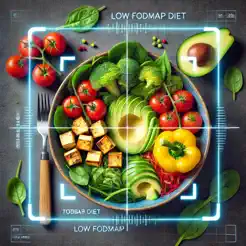
Mobile app for scanning food items to determine if they fit a low FODMAP diet.

AI-powered mobile app for tracking calories and macros by scanning food photos.
App to scan food ingredients for safety and detailed analysis.

AI body scanner for muscle analysis, ratings, and exercise recommendations.

Free app to identify and value coins, stamps, banknotes, and antiques by picture.


AI-powered WordPress security solution for malware cleanup with a 24-hour guarantee.

AI-powered app for scanning food, providing nutritional info and healthier alternatives.


Somme is a wine app providing personalized recommendations using AI and wine label scanning.

Wellbot is a WhatsApp-based food label scanner providing instant nutrition insights and healthier shopping choices.
Automated credit card statement scanner for fraud protection and suspicious charge alerts.

AI-powered app to track and reduce sugar intake for a healthier lifestyle.
Mobile app for scanning food barcodes or photos to get nutritional information.
AI Scanner — AI Scanner tools are a specialized subset of Office & Productivity software that use artificial intelligence to convert visual data from scans, photos, and images into editable, searchable, and structured digital information. Unlike general document editors or management platforms, AI Scanners focus on the critical first step of digitization: extracting text and data from physical or image-based sources using optical character recognition (OCR) and machine learning. This category matters because it eliminates manual data entry, accelerates document processing, and enables downstream workflows like expense tracking, contact management, or archival. However, accuracy varies with input quality and document complexity, so buyers should test tools on their specific use cases and budget time for review, especially with handwritten or low-quality scans.
Best For: Small business owners and freelancers digitizing receipts, invoices, and business cards; Administrative staff converting paper records into searchable digital archives; Researchers and students extracting text from scanned documents or solving image-based problems; Collectors identifying and cataloging items like trading cards from photos Not Ideal For: Users who primarily work with born-digital files and have no scanning needs; Teams requiring advanced document editing, collaboration, or full document management suites; High-volume scanning with extreme accuracy demands (e.g., legal or medical records) without prior testing Summary: AI scanners are best for professionals who frequently convert physical documents or images into structured digital data, saving time and reducing manual entry errors. They are less suitable for those who only handle digital-native files or need comprehensive document editing and collaboration features.
The typical workflow begins with input preparation: the user captures or uploads a scan, photo, or image of a document or object. Next, the tool applies optical character recognition (OCR) and AI models to analyze the visual data, recognizing text, layout, and relevant fields to extract structured information. Finally, the user reviews the extracted data for accuracy, makes corrections if needed, and exports the results to a desired format such as editable text, a spreadsheet, or a searchable PDF. The AI-driven analysis step is central, but human review remains important for quality assurance, especially with complex layouts or poor-quality inputs.
AI scanners significantly reduce time spent on manual data entry and minimize transcription errors, enabling quick digitization of large volumes of physical documents. They create searchable, editable digital archives from paper sources, improving accessibility and organization. However, accuracy varies with input quality and document complexity, so users should budget time for review and correction, and free tiers often impose usage limits that may hinder scalability for high-volume needs.
AI scanners can process a wide range of documents including receipts, invoices, business cards, forms, printed text, and in some cases handwritten notes or images. The effectiveness depends on the tool's OCR capabilities and the quality of the input image.
Accuracy varies by tool and input quality; clear, high-contrast scans typically yield high accuracy, while blurry photos or complex layouts may introduce errors. In practice, users should expect to review and correct extracted data, especially for critical documents.
Some AI scanners can recognize handwritten text, but accuracy is generally lower than for printed text and depends heavily on handwriting legibility and the tool's training data. For critical handwritten documents, manual verification is often necessary.
Common output formats include editable text (TXT, DOCX), spreadsheets (CSV, XLSX), searchable PDFs, and structured data like vCard for business cards. The availability of specific formats varies by tool.
Free tiers typically come with usage limits, such as a maximum number of scans per month or per day. Unlimited free usage is rare; most tools offer paid subscriptions for higher volumes. Users with recurring high-volume needs should evaluate cost scalability.
General-purpose scanners handle a variety of documents but may lack specialized features for specific tasks like receipt categorization or card identification. Domain-specific tools often provide better accuracy and workflow integration for their niche, but may be less flexible for other uses. Your choice should depend on the primary type of scanning you perform.