
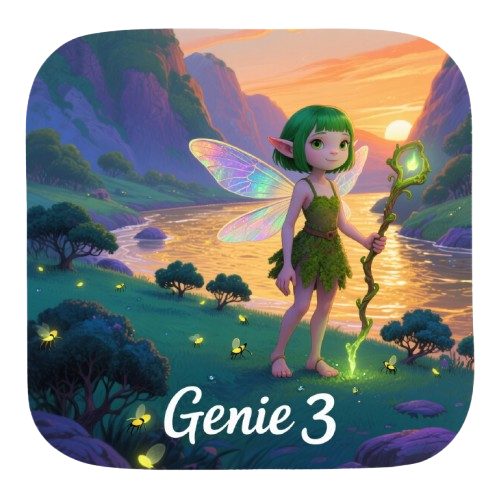
In-depth review: Genie 3-Al-Powered 3D WorldGenerator
Genie 3 is an AI-powered 3D world generator that aims to make virtual environment creation as simple as typing a sentence. It is designed for users who want to go from concept to a navigable 3D scene without wrestling with traditional modeling software. The tool’s core value proposition is speed and accessibility: it translates text prompts into three-dimensional worlds in real time, offering a live preview that updates as parameters are adjusted. This positions it as a potential bridge between creative intent and visual output for non-specialists, while also serving as a rapid prototyping tool for game developers and digital artists.
Where the tool stands out is in its combination of text-to-3D generation with procedural generation. Rather than relying solely on pre-built assets, Genie 3 uses algorithms to create varied terrain, vegetation, and structures, theoretically enabling an infinite number of unique environments. The real-time preview is a significant advantage over batch-generation tools, as it allows users to iterate on the fly—tweaking parameters like terrain roughness, water level, or atmosphere without waiting for a full re-render. The support for multiple environment styles (natural, sci-fi, fantasy) broadens its appeal, though the quality of each style may vary; natural landscapes appear to be the most mature, while fantasy or sci-fi outputs may feel more generic.
However, the tool is not without limitations. Its credit-based pricing model means heavy users on the basic plan (¥39.9/month for 1,300 credits) may quickly exhaust their allowance, especially if generating high-resolution or complex scenes. The lower-tier plan also restricts export formats, which could be a dealbreaker for developers who need compatibility with game engines like Unity or Unreal. There is no mention of direct integration with these engines, so exported models may require additional cleanup or conversion. Additionally, while the parameter controls are described as intuitive, the depth of control—such as the ability to adjust erosion patterns, texture detail, or lighting angles—is unclear from available information. Users expecting granular control akin to professional terrain editors may find the sliders too coarse.
The ideal user for Genie 3 is a hobbyist world builder or an indie game developer who needs to quickly block out environments for prototyping or concept art. For digital artists, the tool can serve as a source of inspiration or a base mesh for further refinement in other software. Virtual world builders working on VR or simulation projects may appreciate the procedural generation for populating large areas, but they should verify whether the output meets performance requirements. The tool is less suited for users who need polished, production-ready assets or those who require extensive customization of individual elements.
In summary, Genie 3 delivers on its promise of instant 3D world creation from text, with a workflow that prioritizes speed and iteration. Its real-time preview and procedural generation are genuine differentiators, but the credit system and export limitations mean it is best approached as a starting point rather than a final solution. Buyers should evaluate their typical usage volume and format needs before committing to a paid plan, and consider whether the tool’s output quality aligns with their project’s visual standards. For those who prioritize rapid ideation over fine-grained control, Genie 3 offers a compelling shortcut from imagination to virtual space.
Who it's built for
Creators
Why it fits
Genie 3 removes the steep learning curve of traditional 3D software, allowing you to go from idea to 3D scene in seconds with just a text prompt.
Best value
Rapid prototyping of concepts for presentations, mood boards, or social media content.
Caution
Fine control over details is limited compared to manual modeling; you rely on the AI's interpretation.
Game developers
Why it fits
Quickly generate environment concepts or placeholder assets for game levels, especially during early prototyping phases.
Best value
Speed of iteration: generate multiple terrain variations in minutes to test level layouts.
Caution
Export formats may not directly integrate with game engines; check compatibility with your pipeline. Basic plan restricts format options.
Digital artists
Why it fits
Explore stylized landscapes and sci-fi or fantasy scenes that can serve as inspiration or base meshes for further artistic work.
Best value
Diverse environment styles provide a wide palette for creative exploration without starting from scratch.
Caution
Output resolution and detail may not meet print-quality standards without post-processing.
Virtual world builders
Why it fits
Procedural generation enables large-scale world building for VR, simulations, or virtual events with minimal manual effort.
Best value
Unlimited unique worlds generated procedurally, saving time on repetitive terrain design.
Caution
Real-time performance may degrade with extremely large or complex scenes; consider optimization for real-time applications.
Key features
AI-Powered Text-to-3D Generation
Describe your vision in words, and Genie 3's AI generates a corresponding 3D world in real time.
Benefit
Eliminates the need for 3D modeling skills, making world creation accessible to anyone.
Limitation
The AI's interpretation may not always match your exact vision; complex or ambiguous prompts can produce unexpected results.
Real-Time Preview and Editing
View and interact with the generated world instantly, with controls to tweak parameters on the fly.
Benefit
Immediate feedback allows rapid iteration and creative exploration without waiting for renders.
Limitation
Real-time editing may be limited to a set of predefined parameters; deep customization might require external tools.
Procedural Generation for Unlimited Worlds
Uses procedural algorithms to create infinite variations of terrains and environments.
Benefit
Ensures each generated world is unique, ideal for exploration games or diverse virtual spaces.
Limitation
Procedural results can sometimes feel repetitive or lack the intentional design of handcrafted scenes.
Diverse Environment Styles
Supports natural landscapes, sci-fi scenes, fantasy realms, and more, each with distinct visual characteristics.
Benefit
Provides a broad creative palette suitable for various genres and artistic projects.
Limitation
The quality and coherence of styles may vary; some presets may be more polished than others.
Intuitive Parameter Control
Sliders and controls allow adjustment of terrain height, texture, lighting, and other attributes.
Benefit
Enables fine-tuning without needing to understand complex 3D software interfaces.
Limitation
Parameter range and granularity may be limited compared to professional tools, restricting advanced users.
Real-world use cases
Generating Realistic Mountain Terrain
Game developersScenario
A game designer needs a rugged mountain range with peaks, valleys, and natural textures for an open-world RPG.
Solution
They input a text prompt like 'snow-capped mountain range with deep valleys and pine forests' and use Genie 3's real-time preview to adjust terrain height and texture sliders.
Outcome
Produces a believable landscape in seconds, allowing the designer to evaluate scale and composition before committing to detailed modeling.
Creating Ocean Scenes with Waves
Digital artistsScenario
A digital artist wants to create a stormy ocean scene with dramatic waves and lighting for a concept art piece.
Solution
They describe 'stormy ocean with large waves and dark clouds' and tweak water parameters like wave height and color in real time.
Outcome
The artist quickly gets a base scene that captures the mood, saving hours of manual water simulation.
Designing Complex Terrains for Game Prototypes
Game developersScenario
An indie developer needs multiple terrain variations to test level layouts for a strategy game.
Solution
They generate several worlds using different prompts and procedural seeds, then export them in a compatible format for import into their game engine.
Outcome
Rapid iteration on terrain shapes and features accelerates the prototyping phase, allowing more time for gameplay tuning.
Crafting Unique Digital Art Landscapes
CreatorsScenario
A creator wants a surreal, floating island landscape for a digital art project or NFT.
Solution
They prompt 'floating islands with waterfalls and glowing flora' and use the real-time preview to adjust lighting and color palettes until the scene matches their vision.
Outcome
Generates a unique, artistically compelling scene that can be further refined in image editing software.
Pros & cons
Pros
- Transforms text into 3D environments instantly
- Requires no professional skills, making 3D creation accessible
- Provides real-time preview with 360-degree rotation and zoom
- Supports unlimited virtual world creation through procedural generation
- Offers a rich variety of environment styles
- Features intuitive parameter control for precise adjustments
- Ensures smooth 3D preview with a high-performance rendering engine
Pricing
Parsed from stored tiers (HTML or plain text). If a line is missing, check the notes below — confirm on the vendor site before purchasing.
Monthly Plan 2 (Most popular choice)
¥99.9/ month
¥99.9 /month 4,000 credits per month, Advanced world generation, Priority support, All export formats, Custom textures.
Monthly Plan 1 (Perfect for beginners)
¥39.9/ month
¥39.9 /month 1,300 credits per month, Basic world generation, Standard support, Export in common formats.
Company information
Parsed from directory fields (lists, definition lists, or plain lines). Keys with 「: / :」 show as cards when most lines match; otherwise as a list. Confirm on official sources.
- Genie 3-Al-Powered 3D WorldGenerator Support Email & Customer service contact & Refund contact etc. More Contact, visit the contact us page(https://www.aigenie3.net/contact)
- Genie 3-Al-Powered 3D WorldGenerator Company Genie 3-Al-Powered 3D WorldGenerator Company name: Genie 3 AI Virtual World Generator . Genie 3-Al-Powered 3D WorldGenerator Company address: . More about Genie 3-Al-Powered 3D WorldGenerator, Please visit the about us page(https://www.aigenie3.net/about) .
- Genie 3-Al-Powered 3D WorldGenerator Login Genie 3-Al-Powered 3D WorldGenerator Login Link:
- Genie 3-Al-Powered 3D WorldGenerator Sign up Genie 3-Al-Powered 3D WorldGenerator Sign up Link:
- Genie 3-Al-Powered 3D WorldGenerator Pricing Genie 3-Al-Powered 3D WorldGenerator Pricing Link: https://www.aigenie3.net/pricing
Frequently asked questions
How does Genie 3's credit system work?Pricing
Genie 3 operates on a credit-based system. Each generation or export consumes a certain number of credits. The Monthly Plan 1 (¥39.9/month) gives 1,300 credits, while Plan 2 (¥99.9/month) offers 4,000 credits plus additional features. Heavy usage may require a higher-tier plan.
Can I export models in formats compatible with Unity or Unreal Engine?Workflow
Export formats depend on your plan. The basic plan includes common formats, while the advanced plan (Plan 2) unlocks all export formats. It is advisable to check the specific formats supported, as direct compatibility with Unity or Unreal may require conversion.
Is Genie 3 suitable for creating entire game levels or just single scenes?Fit
Genie 3 is best suited for generating individual scenes or terrain chunks. For entire game levels, you would need to generate multiple scenes and assemble them in a game engine. The procedural generation can help create varied segments, but level design logic must be handled externally.
What are the limitations of the free or basic plan?Pricing
Genie 3 does not offer a free plan; the lowest tier is the Monthly Plan 1 at ¥39.9/month. It provides 1,300 credits, basic world generation, standard support, and export in common formats. Advanced features like priority support, all export formats, and custom textures are reserved for Plan 2.
Does Genie 3 support importing custom textures or assets?Workflow
Based on available information, Genie 3 does not explicitly support importing custom textures or assets. The tool focuses on generating worlds from text and adjusting parameters. For custom assets, you may need to use external software.
How does Genie 3 compare to other AI 3D generators like Scenario or Promethean?Comparison
Genie 3 differentiates itself by emphasizing instant text-to-3D world generation with real-time preview and procedural generation for unlimited worlds. It targets a broad audience from beginners to professionals. Direct comparisons would require hands-on testing of each tool's output quality, speed, and workflow integration.
Related tools in AI 3D Model Generator

AI-powered 3D interior design and manufacturing software for streamlined workflows and photorealistic visuals.

AI-powered online platform for generating and managing 3D models.


AI rendering platform for architects and interior designers, generating renders in seconds.
AI-powered home renovation app for visualizing and planning interior and exterior designs.
AI-driven design tools for architectural rendering and design enhancement.