

AI VideoAI Video GeneratorSora Video Generator
An AI Cartoon Video Generator is a tool within the Video & Animation category that uses artificial intelligence to transform text, images, or scripts into animated cartoon-style vi…
6 curated for this page · 49 tools in this niche
By relevance & traffic
Sorahub is a guide and prompt sharing website for OpenAI's Sora AI video model.

Instant access to Google Veo 3.1 & Grok. Create cinematic AI videos with Start/End Frame control. No waitlist.
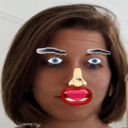
Overlays cartoon parts on faces in meeting videos using p5.js and face-api.js.

AI Cartoon Video Generator — An AI Cartoon Video Generator is a tool within the Video & Animation category that uses artificial intelligence to transform text, images, or scripts into animated cartoon-style videos. It lowers the barrier to animation for non-experts by automating character movement, scene composition, and voiceover integration, enabling educators, marketers, and content creators to produce engaging explainers or social media clips without traditional animation skills. Unlike general video generation tools that may focus on live-action or photorealistic output, this subcategory specifically targets cartoon aesthetics and simplified workflows. However, output quality and customization can vary significantly across tools, so buyers should test with their own content before committing to a subscription.
Best For: Content creators needing quick cartoon explainers or social media clips; Educators producing animated lessons or training materials; Marketers creating branded animated ads or product demos; Small business owners with limited budgets for professional animation Not Ideal For: Professional animation studios requiring frame-by-frame control; Projects demanding photorealistic or live-action video generation; Users needing extensive post-production editing capabilities Summary: AI Cartoon Video Generators are best for non-experts who need to produce engaging cartoon videos quickly and affordably, but they are not a substitute for traditional animation tools when high artistic control or photorealism is required.
The typical workflow begins with input setup, where users provide a script, text, or images as the source material. The AI then processes this input to generate animated cartoon scenes, often offering options for character selection, background choices, and voiceover integration. After generation, users can preview the video, make adjustments to timing, visuals, or audio, and finally export the finished video in a suitable format for sharing or publishing. This streamlined process reduces the need for manual animation skills but may require iterative refinement for optimal results.
The primary advantage is accessibility: users without animation expertise can create professional-looking cartoon videos in minutes. This speed and ease of use significantly reduce production time and costs compared to traditional animation. Additionally, many tools provide libraries of pre-made assets, templates, and music, further simplifying creation. However, output quality and customization depth vary across tools, so users should test options to ensure they meet their specific needs and may need to invest time in reviewing and refining AI-generated content.
It is a software tool that uses artificial intelligence to automatically create animated cartoon-style videos from inputs like text, images, or scripts. These tools simplify animation by handling character movement, scene composition, and voiceover integration, making it accessible to users without traditional animation skills.
No, these tools are designed for non-experts. They typically offer intuitive interfaces, pre-made templates, and automated animation processes. However, some familiarity with video creation concepts can help you achieve better results, and you may need to review and tweak outputs for accuracy.
They are commonly used for educational content, marketing videos, social media posts, explainer videos, and presentations. The cartoon style can make complex topics more engaging and accessible. However, for professional or high-stakes projects, you may need to evaluate the tool's quality and customization options carefully.
Consider factors like output quality consistency, control over characters and scenes, workflow fit for your typical tasks (e.g., script-to-video vs. image-to-video), review burden for corrections, export formats and resolution, and cost scalability for your usage volume. Testing a few tools with your own content can help determine the best fit.
Yes, many tools offer free tiers with limited features, such as watermarked exports, lower resolution, or a cap on the number of videos. Others may provide free trials or pay-as-you-go credit systems. For regular or commercial use, a paid subscription or credit pack often provides more flexibility and higher quality.
This depends on the tool's licensing terms. Many allow commercial use, but some may restrict it on free tiers or require attribution. Always review the specific terms of service for the tool you choose to ensure compliance with your intended use.