

5.0Freemium 17.1M/mo
Photography and video editing app with creative community and professional tools.
Photo EditingVideo EditingPhotography App
AI Photo Editors are a specialized subset of Image Generation & Editing that apply machine learning to automate the enhancement and manipulation of existing photographs. Unlike AI…
30 curated for this page · 845 tools in this niche
By relevance & traffic
Photography and video editing app with creative community and professional tools.

EaseUS provides data recovery, backup, partition management, and multimedia software.

Movavi provides user-friendly photo and video editing software with AI-powered features and a wide range of tools.


Apowersoft provides multimedia and online business solutions for content creation and management.

AI tool for hyper-realistic virtual clothes try-on, outfit swaps, and photo dress changing.
AI photo culling and editing software for professional photographers to streamline post-processing.


XJoy AI is an AI-powered photo and video generation platform with subscription and gem-based access.

FASHN AI offers virtual try-on technology for realistic fashion images and videos.


Creative platform for professional and UGC e-commerce content creation and management.

AI face morphing software for high-resolution face swaps in photos, GIFs, and videos.
AI platform for creating various types of content with AI-powered tools and templates.

AI-powered website builder for creating professional websites quickly and easily.

Online AI platform for photo and video editing with quick and easy-to-use AI tools.


AI-powered cloud LUT creator and color grading software for team collaboration.
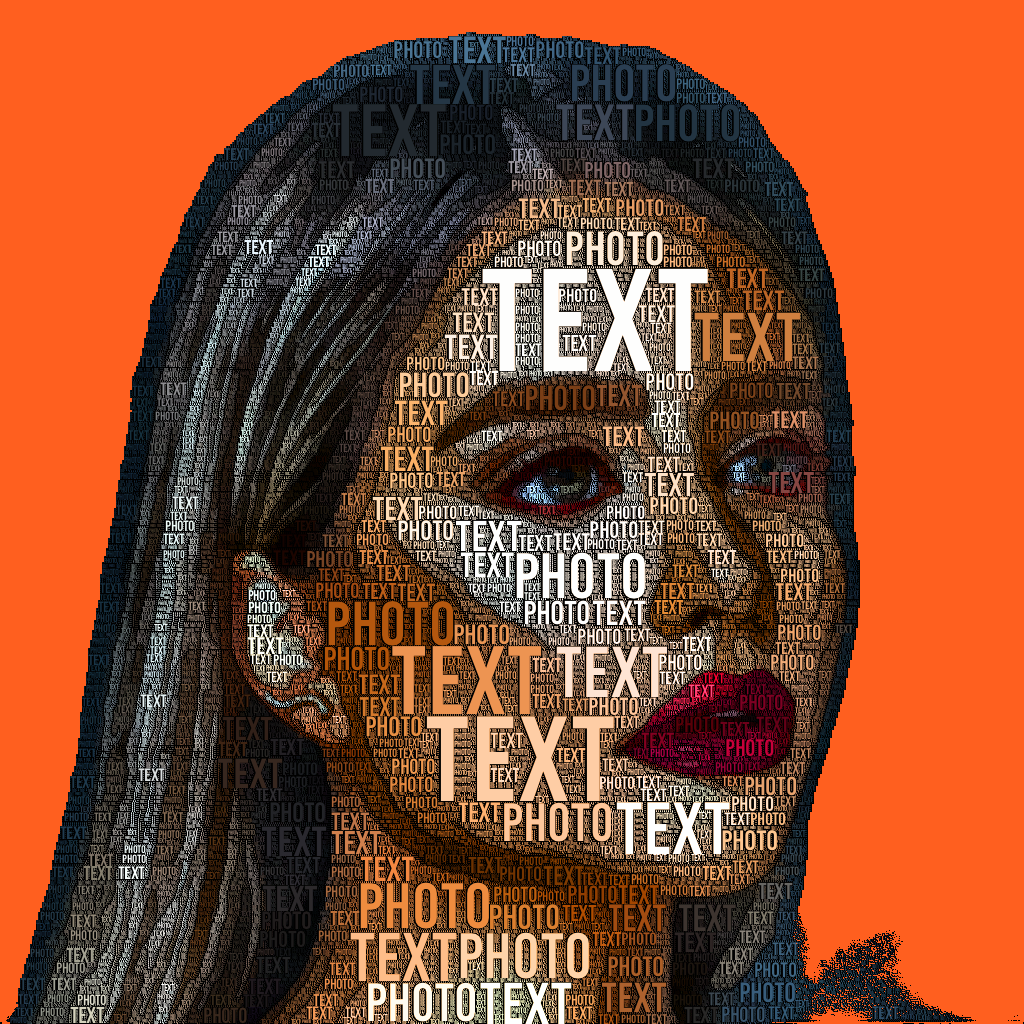
TextPhoto creates typographic artwork from your pictures using words and fonts.

Caimera is an AI-powered platform that generates realistic AI models for fashion brands, e-commerce, and advertising campaigns. Replace expensive photoshoots with AI-generated visuals that achieve 50% higher CTR and 50% lower cost per click. Create studio-quality product shots, campaign visuals, and model photography in minutes, not weeks.


Multimedia software company offering video, AI, PDF, and mobile utility tools.

AI-powered photo editing software for radiant, professional-quality results.




AI Photo Editor — AI Photo Editors are a specialized subset of Image Generation & Editing that apply machine learning to automate the enhancement and manipulation of existing photographs. Unlike AI image generators that create visuals from text prompts, these tools focus on editing tasks such as automatic color correction, object removal, background replacement, and one-click filters. They are designed for users who need fast, consistent results without deep expertise in manual editing software. The primary value lies in reducing time spent on repetitive edits, making them practical for social media content, e-commerce product photos, and personal projects. However, output quality can be inconsistent across image types, and complex edits may still require manual refinement, so these tools are best suited for workflows where speed and ease of use outweigh the need for precise control.
Best For: Social media influencers and content creators needing quick, polished visuals; Small business owners and e-commerce sellers editing product photos; Casual users and hobbyists enhancing personal photos without learning complex software; Marketing teams requiring consistent batch edits for branding assets Not Ideal For: Professional photographers needing RAW editing and precise color grading; Graphic designers requiring advanced compositing and layer-based workflows; Users seeking to generate entirely new images from text prompts Summary: AI Photo Editors are best for users who prioritize speed and ease of use over granular control, and who need consistent results for repetitive tasks. They are less suitable for professionals requiring manual precision or those wanting to create images from scratch.
The typical workflow begins with the user uploading or selecting a photo from a device or cloud storage. Next, they choose an AI-powered edit option such as auto-enhance, background removal, object removal, or applying a filter. The AI processes the image and presents a result, which the user can review and optionally refine using manual adjustments like sliders or undo. Finally, the edited image is exported in the desired format and resolution for direct use in social media, e-commerce, or print.
AI Photo Editors save significant time by automating repetitive tasks like background removal and color correction, making professional-looking results accessible to non-experts. They also enable consistent batch edits for branding or product photos. However, results may vary in quality, and complex edits often still require manual intervention, so these tools are not a complete replacement for professional editing software in demanding workflows.
An AI Photo Editor uses artificial intelligence to automate tasks like enhancement, object removal, and background replacement, requiring minimal user input. Traditional software relies on manual tools like layers and masks, offering more control but a steeper learning curve. AI editors prioritize speed and ease of use, while traditional editors provide precision for complex edits.
Key factors include the quality and consistency of AI outputs across different image types, the level of control you have over adjustments, and how well the tool fits your specific tasks (e.g., batch editing, background removal). Also consider the review burden for catching errors, export options, and whether the pricing model scales with your usage.
Many AI Photo Editors offer batch processing features that apply the same edit to multiple images simultaneously, which is useful for product photography or social media campaigns. However, the consistency of results may vary, and some tools may require manual review of each output to ensure quality.
Pricing models vary widely; many tools offer free tiers with limited features or credits, while full access often requires a subscription (monthly or yearly) or pay-per-use credits. Costs typically scale with usage, such as the number of edits or resolution of exports, so it's important to evaluate your volume needs.
AI editors may produce inconsistent results on complex images, such as those with intricate details or unusual lighting. They also offer less control over fine adjustments like selective color grading or compositing. For professional-grade work requiring precision, manual editing in traditional software is often necessary.
AI Photo Editors modify existing photos, while AI image generators create new images from text prompts. They serve different purposes: editors enhance or retouch real photos, whereas generators produce synthetic visuals. Some tools may combine both capabilities, but the core focus of this category is editing, not generation.