
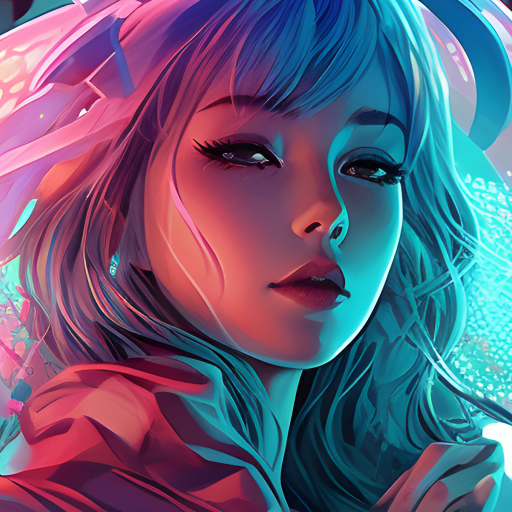
In-depth review: 4AiPaw by HitPaw
4AiPaw by HitPaw positions itself as a mobile-first AI art generator that prioritizes accessibility and cartoon-style transformations over high-fidelity photorealism. It is designed for users who want to create artwork from text prompts or convert photos and videos into cartoon-like images without requiring any artistic skill. The app combines two core capabilities: text-to-art generation and AI cartoon conversion from media, making it a dual-purpose tool for quick visual creation. However, its value is tied to its mobile-only format and freemium model, which may limit its appeal for professional workflows that demand desktop-grade editing or high-resolution outputs.
Where 4AiPaw stands out is in its low barrier to entry. Anyone with a smartphone can download the app, type a prompt or select a photo, and generate a stylized result in seconds. This makes it particularly useful for rapid ideation, social media content, and casual experimentation. The ability to customize art styles and adjust saturation adds a layer of creative control that many free AI art apps lack. However, the customization is not deep: users can choose from preset styles and tweak saturation, but there is no support for layers, masks, or fine-grained parameter adjustments. The tool is clearly optimized for speed and simplicity, not for precision or iterative refinement.
The AI cartoon generation from photos and videos is arguably the strongest feature. It handles facial features reasonably well, preserving expressions and key characteristics while applying a consistent cartoon filter. The processing speed is fast enough for on-the-go use, and the output is suitable for profile pictures, social media posts, or fun personal projects. However, the resolution may not meet the standards for print or commercial use without upscaling, and the app does not offer export options beyond standard mobile resolutions. For text-to-art, the quality varies depending on prompt complexity. Simple prompts yield coherent results, but more abstract or detailed requests can produce inconsistent outputs. The app excels at generating stylized illustrations rather than photorealistic images, which aligns with its cartoon-centric positioning.
Who benefits most from 4AiPaw? Artists and designers can use it as a brainstorming tool to visualize concepts quickly before moving to more advanced software. Content creators and social media users will appreciate the ability to generate cartoon avatars or themed art without manual editing. Hobbyists exploring AI art for the first time will find the app approachable and fun. On the other hand, professional illustrators or graphic designers seeking high-fidelity outputs, batch processing, or integration with desktop tools will likely find the app too limited. The lack of a web or desktop version means all work must be done on a mobile device, which can be a significant constraint for those accustomed to larger screens and precise input.
Practical caveats matter here. The freemium model means that while the app is free to download and use, certain features or higher-resolution exports may require in-app purchases. Users should verify what is included in the free tier before committing to a workflow. Additionally, there is no mention of commercial licensing terms, so those planning to use outputs for products or branding should clarify usage rights. The app does not offer advanced editing tools like layer support or fine-tuning, so it is best suited for one-shot generation rather than iterative design. Customer support is available via email, but response times may vary.
For a practical buyer or operator, 4AiPaw is best evaluated as a mobile companion for quick, casual AI art creation rather than a professional-grade tool. It fills a specific niche: accessible, fun, and fast cartoon-style generation. If your needs align with that—rapid ideation, social media content, or personal projects—it is worth trying. But if you require high-resolution outputs, desktop workflow integration, or photorealistic quality, you will need to look elsewhere. The app delivers on its promise of making art creation accessible, but it does so within a deliberately limited scope.
Who it's built for
Artists
Why it fits
Artists can use 4AiPaw to quickly generate visual concepts from text prompts, exploring styles and compositions before committing to detailed work.
Best value
Rapid ideation and style exploration without leaving the creative flow.
Caution
Outputs may lack the precision and resolution needed for final portfolio pieces; best used as a brainstorming aid.
Designers
Why it fits
Designers can create background assets or cartoon-style elements for commercial projects, leveraging the app's customization options for size and saturation.
Best value
Quick generation of stylized assets that can be further refined in other tools.
Caution
App-only workflow may disrupt desktop-based design pipelines, and customization depth is limited compared to professional software.
Content creators
Why it fits
Content creators can rapidly produce cartoon versions of photos and videos for social media, saving time compared to manual editing or complex software.
Best value
Fast turnaround for engaging visual content that stands out on platforms like Instagram or TikTok.
Caution
Output quality may vary with input quality, and the freemium model may restrict access to higher-resolution outputs.
Social media users
Why it fits
Social media users can generate unique profile pictures or shareable art with minimal effort, making the app accessible for non-artists.
Best value
Fun, low-barrier entry to AI art creation for personal use and social sharing.
Caution
Users seeking high-resolution or print-ready outputs may be disappointed; the app is best for casual, digital-first use.
Key features
Text-to-Art Generation
Converts text prompts into AI-generated artwork using selected art styles.
Benefit
Enables anyone to create visual art from descriptive text, bypassing traditional drawing skills.
Limitation
Prompt interpretation can be inconsistent; complex or abstract prompts may yield unpredictable results.
AI Cartoon Generation from Photos and Videos
Transforms uploaded photos or videos into cartoon-style images and clips.
Benefit
Quickly creates stylized, shareable content from personal media without manual editing.
Limitation
Facial features and expressions may not always be preserved accurately, especially in group shots or fast-moving video.
Customizable Art Styles and Sizes
Allows users to choose from a range of art styles and adjust output dimensions.
Benefit
Provides creative control to match the desired aesthetic and output format for different platforms.
Limitation
The number of styles and size options may be limited compared to dedicated design software; some styles may produce similar results.
Saturation Adjustment
Enables users to increase or decrease color saturation in the generated artwork.
Benefit
Offers a simple way to tweak the vibrancy of outputs, compensating for the lack of more advanced color tools.
Limitation
Only saturation is adjustable; no controls for contrast, brightness, or hue, limiting fine-tuning.
Real-world use cases
Generating Art from Text Prompts
ArtistsScenario
An artist wants to visualize a surreal landscape described in a short story but lacks time to sketch multiple concepts.
Solution
The artist inputs descriptive text into 4AiPaw, selects a style, and generates several variations to explore compositions and color palettes.
Outcome
Rapid concept generation that sparks new ideas and direction for further manual development.
Creating AI Cartoons from Photos and Videos
Content creatorsScenario
A content creator needs a cartoon avatar for a new social media channel and wants to use a selfie.
Solution
The creator uploads a photo to 4AiPaw, applies a cartoon style, and downloads the result in seconds.
Outcome
Saves hours of manual vectorization or hiring a designer, enabling quick branding.
Generating Ideas for Artists and Designers
DesignersScenario
A designer is stuck on a logo concept and needs visual inspiration from abstract prompts.
Solution
The designer types keywords like 'geometric bird, minimal, blue gradient' and reviews multiple generated images for ideas.
Outcome
Breaks creative block by providing unexpected visual combinations that can be refined.
Creating Art for Commercial Purposes
Social media usersScenario
A small business owner wants a whimsical background for a product listing on a budget.
Solution
They use 4AiPaw to generate a cartoon-style background from a text description, then adjust saturation to match brand colors.
Outcome
Affordable, quick asset creation without hiring a graphic designer, though resolution may limit print use.
Pros & cons
Pros
- Easy to use, no artistic skills required
- Offers a variety of art styles
- Can generate art from both text and images/videos
- Potential for commercial use
Cons
- Some users report issues with image quality (95% trash)
- Limited image size choices compared to competitors
- Subscription model may not be as appealing as lifetime memberships offered by other apps
- Some users experience errors during generation
Frequently asked questions
What can I create with 4AiPaw?General
You can create AI-generated art from text prompts, turn photos and videos into AI cartoons, and customize the style and size of your artwork.
Is 4AiPaw free to use?Pricing
The app is free to download and use, but it may contain in-app purchases for additional features or content.
What if I have suggestions or concerns?Workflow
You can contact the developers at [email protected].
Can I use 4AiPaw on desktop or web?Limitations
No, 4AiPaw is currently available only as a mobile app. There is no web or desktop version.
Does 4AiPaw support high-resolution output for printing?Limitations
The app's output resolution is optimized for digital use and may not be sufficient for high-quality printing. Check the size options before generating for print.
How does 4AiPaw compare to other AI art apps?Comparison
4AiPaw focuses on text-to-art and cartoon transformation in a mobile app, making it more accessible for casual users. It may lack advanced features like layer support or high-resolution output found in desktop-focused tools.
Related tools in Text to Image




AI image and design tool with unparalleled control over composition and style.


AI-powered platform for image editing and generation with various tools and API.