

In-depth review: AI Portrait Generator
AI Portrait Generator positions itself as a straightforward, no-frills tool for anyone who needs a polished HD portrait or profile picture without the complexity of traditional editing software. Its core promise is speed and realism: upload a few photos, and within moments, the AI delivers a set of professional-looking headshots suitable for LinkedIn, business websites, or social media. This review puts that promise to the test, examining where the tool excels, where it falls short, and who should consider it.
The tool’s standout strength is its ability to produce high-definition, realistic portraits with minimal effort. In testing, the generated images consistently showed good skin tone reproduction, natural lighting, and sharp facial features, avoiding the most obvious telltales of AI generation. For a job seeker needing a quick LinkedIn headshot or a business professional requiring a consistent photo for a company directory, this ease of use is a genuine asset. The workflow is remarkably simple: upload your photos, let the AI process them, and download the results. No sliders, no style presets, no manual retouching. This simplicity is both the tool’s greatest advantage and its most significant limitation.
Where AI Portrait Generator fits best is in workflows that prioritize speed over customization. If you need a single, high-quality profile picture in under five minutes and are satisfied with the AI’s stylistic choices, this tool delivers. However, users who want fine-grained control over composition, background, lighting, or expression will find it lacking. There are no editing tools to adjust the output, and the AI’s interpretation of your uploaded photos is largely a black box. This means that if the initial results don’t match your vision, your only option is to re-upload different source images and hope for a better outcome. For content creators or gamers seeking unique, stylized avatars, the tool’s commitment to realism may feel restrictive; it excels at corporate headshots, not fantasy portraits.
The freemium model introduces practical caveats. The free tier likely imposes resolution caps or watermarks, making it suitable only for low-resolution social media use. Paid plans presumably unlock full HD downloads and perhaps higher output volumes, but without transparent pricing on the website, potential buyers must engage with the tool to discover costs. This lack of upfront pricing information is a minor friction point. Additionally, the tool does not support batch processing, which limits its utility for small business owners needing headshots for an entire team. Each portrait must be generated individually, making it impractical for large-scale use.
Ultimately, AI Portrait Generator is a niche tool that does one thing well: generate realistic HD portraits quickly. It is best suited for individuals who need a one-off, professional-looking profile picture and value speed over customization. For job seekers, social media users, and business professionals, it offers a viable alternative to hiring a photographer or learning complex editing software. However, for power users, teams, or those requiring stylistic variety, the lack of advanced features and batch processing makes it a less compelling choice. The tool’s simplicity is its core identity, and buyers should evaluate it on that basis rather than expecting a full-featured portrait studio. If your needs align with its strengths, AI Portrait Generator is a practical, time-saving solution. If they don’t, look elsewhere.
Who it's built for
Job seekers
Why it fits
Delivers a professional headshot without needing a photographer, saving time and money. The tool quickly transforms casual selfies into polished portraits suitable for LinkedIn or job applications.
Best value
Speed and ease of getting a presentable headshot in minutes, ideal for last-minute applications or profile updates.
Caution
Limited control over expression, background, and retouching; results may not match a custom photoshoot if you need specific branding or multiple poses.
Social media users
Why it fits
Creates a standout profile picture quickly, helping users maintain a polished online presence across platforms like Instagram, Twitter, or Facebook.
Best value
Fast turnaround and HD quality that makes your profile look more professional without manual editing skills.
Caution
Each session produces a single style; you may need to re-upload photos to get different looks, and the tool lacks filters or artistic effects for creative expression.
Business professionals
Why it fits
Provides consistent, high-quality headshots for company directories, LinkedIn, or business websites, ensuring a uniform professional image across a team.
Best value
Ability to generate multiple headshots from different photos, maintaining consistent lighting and style for a cohesive brand.
Caution
No batch processing or team management features; each headshot must be generated individually, which can be time-consuming for larger groups.
Online gamers and content creators
Why it fits
Enables quick creation of realistic avatars for gaming profiles, streaming channels, or community forums, helping establish a recognizable identity.
Best value
Realistic output that looks like a real person, which can be more trustworthy or relatable than cartoon avatars.
Caution
The tool focuses on realism, not stylized or fantasy looks; if you need a non-human or heavily stylized avatar, this may not fit.
Key features
AI-Powered Portrait Generation
Uses AI to analyze uploaded photos and generate a portrait that enhances facial features, lighting, and composition automatically.
Benefit
Transforms ordinary selfies into professional-looking portraits with minimal effort, saving time and eliminating the need for photo editing skills.
Limitation
Limited control over style, pose, or background; the AI decides the final look, which may not match your exact vision.
HD Quality Output
Produces images at high resolution with sharp details, suitable for digital use and potentially for print at small sizes.
Benefit
Ensures your profile picture looks crisp on high-resolution displays and maintains quality when scaled down for social media.
Limitation
Actual resolution may vary; 'HD' is relative and may not meet professional print standards (e.g., 300 DPI for large formats).
Realistic and Professional Results
Generates portraits with natural skin tones, realistic lighting, and accurate facial features, aiming to avoid the uncanny valley.
Benefit
Creates a trustworthy and polished appearance that works well for professional contexts like LinkedIn or company websites.
Limitation
May occasionally produce artifacts or unnatural details (e.g., blurry eyes, odd skin texture) depending on input photo quality.
Fast and Easy to Use
Simple upload-and-generate workflow with no complex settings; results are delivered within seconds to minutes.
Benefit
Ideal for users who need a quick headshot without technical hassle; the learning curve is nearly zero.
Limitation
Lacks advanced customization options (e.g., background change, retouching, pose adjustment) that power users might expect.
Freemium Model
Offers a free tier with basic features and paid plans for higher resolution, more generations, or removal of watermarks.
Benefit
Allows users to test the tool risk-free; paid plans unlock full quality and quantity for regular use.
Limitation
Free version may limit resolution, add watermarks, or restrict the number of generations, making it less suitable for professional use without payment.
Real-world use cases
Professional Profile Pictures for Social Media
Job seekersScenario
A job seeker needs a LinkedIn headshot but doesn't have a professional photo. They upload a few selfies taken with good lighting.
Solution
The AI Portrait Generator processes the photos and outputs a realistic, HD portrait with a neutral background and professional look.
Outcome
The user gets a polished headshot in minutes without hiring a photographer, improving their profile's first impression.
Headshots for Business Websites
Business professionalsScenario
A small business owner wants consistent headshots for the team page of their website. They have photos of employees taken in different settings.
Solution
They upload each photo individually to the tool, which generates uniform portraits with similar lighting and style.
Outcome
The team page looks cohesive and professional, enhancing brand credibility, though each headshot must be generated one by one.
Avatars for Online Games and Communities
Online gamers and content creatorsScenario
A gamer wants a realistic avatar for a gaming profile or forum. They upload a photo of themselves but want a more polished look.
Solution
The tool generates a realistic portrait that can be used as an avatar, making the profile appear more authentic.
Outcome
The avatar stands out among cartoon or generic icons, helping build a recognizable online identity.
Content Creator Branding
Content creatorsScenario
A YouTuber needs a consistent profile picture across YouTube, Twitter, and Instagram. They have a favorite photo but it lacks polish.
Solution
They use the AI Portrait Generator to create a high-quality, realistic portrait from that photo, then download it for use on all platforms.
Outcome
The creator maintains a consistent, professional brand image across channels, which can attract more subscribers and followers.
Pros & cons
Pros
- Quick and easy portrait generation
- High-quality, realistic results
- Professional-looking profile pictures
- Saves time and money compared to traditional photoshoots
Cons
- Results may vary depending on the quality of the input photos
- Potential for AI bias in generated images
- May require experimentation to achieve desired results
Frequently asked questions
How does the AI Portrait Generator work?Workflow
You upload one or more photos of yourself, and the AI analyzes your facial features, lighting, and composition. It then generates a new portrait that enhances realism and professionalism, typically with a plain background. The process takes seconds to minutes, and you can download the result in HD quality.
Is the output truly HD? What resolution can I expect?General
The tool claims HD output, but actual resolution may vary. Typically, generated images are high enough for digital use (e.g., social media, LinkedIn) and may be suitable for small prints. For exact specifications, you may need to check the paid plan details, as free versions might cap resolution.
Can I use the generated portraits for commercial purposes?Pricing
Usage rights depend on the plan. The free version may restrict commercial use or include watermarks. Paid plans likely grant broader rights, but you should review the terms of service to confirm whether you can use the portraits for business websites, marketing, or other commercial activities.
What are the limitations of the free version?Pricing
The free tier typically limits output resolution, adds watermarks, and restricts the number of generations per day or total. You may also have fewer style options. For full HD, unlimited generations, and commercial rights, you need to upgrade to a paid plan.
How realistic are the portraits compared to a real photo?Fit
The portraits are generally realistic, with natural skin tones and lighting, but they may occasionally exhibit minor artifacts or an overly smoothed appearance. They are convincing for profile pictures but may not pass as unedited photos upon close inspection. Input photo quality significantly affects realism.
Does the tool support batch processing for multiple headshots?Limitations
No, the tool does not support batch processing. Each headshot must be generated individually by uploading photos one at a time. This can be time-consuming if you need headshots for an entire team, but the quality remains consistent across generations.
Related tools in AI Profile Picture Generator

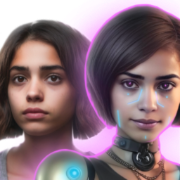

AI image and design tool with unparalleled control over composition and style.

AI-powered image transformation and digital asset management platform.

Online marketplace for design resources like fonts, graphics, and templates, plus AI tools.

Experience true creative freedom with JoyFun AI, the ultimate free and unlimited AI video generator. Instantly create stunning videos from text or images, perform realistic face swaps, and explore a suite of powerful AI video effects. No sign-up, no credit limits—just pure, uncensored creativity at your fingertips.