
In-depth review: Luna AI: AI Artwork Generator
Luna AI: AI Artwork Generator occupies a specific and deliberate niche in the crowded landscape of AI image tools. It is not a powerhouse for professional digital artists seeking granular control over diffusion parameters, nor is it a competitor to web-based platforms that offer endless free generations. Instead, Luna AI is a mobile-first, freemium application designed for casual users who want to quickly transform a selfie into a stylized avatar or generate a piece of artwork from a simple text description, all within the confines of an iPhone. Its value proposition rests on convenience, a privacy-first approach, and a low entry price, making it an accessible entry point for social media users, hobbyists, and content creators who need fast, visually distinct assets without the overhead of complex software.
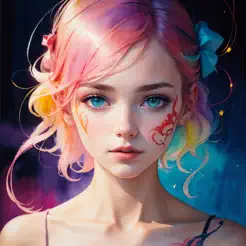
Where Luna AI stands out most is in its bundling of multiple AI models within a single app. Users can choose from four distinct styles: Artwork, Anime, 3D Toon, and Realistic. This variety allows for a range of outputs from a single source photo, which is a genuine convenience for someone looking to experiment with different looks for a profile picture or a social media post. The Artwork model tends to produce painterly, illustrative results that can feel more artistic than photographic, while the Realistic model aims for a more faithful but still stylized portrait. The Anime and 3D Toon models lean into popular aesthetic trends, appealing to users who want a manga-like or cartoonish representation. This breadth of styles is Luna AI's primary differentiator compared to apps that specialize in only one type of transformation.
The workflow is straightforward and deliberately constrained to mobile. A user uploads a photo, selects a model, and the app generates a set of avatars or stylized images. The text-to-image feature, called text2image, allows users to describe a scene or subject and have the AI render it, optionally incorporating the user's own avatar model as a character. This hybrid approach—combining personalization with prompt-based generation—adds a layer of creative possibility, though the text-to-image capability is not as robust as dedicated tools like Midjourney or DALL-E. Prompts need to be relatively simple and direct; complex or abstract requests may yield inconsistent results. For users who want a quick, decent-looking image without fine-tuning, it works well enough.
Luna AI's privacy policy is a notable strength. The app states that uploaded photos are used solely to generate the AI avatar model and are promptly and permanently deleted from their systems afterward. In an era of widespread data collection and AI model training on user uploads, this commitment is reassuring for privacy-conscious users. It also means that the app is not building a persistent dataset from user photos, which is a legitimate concern with many free or low-cost AI tools.
However, the app's limitations are equally important to consider. Luna AI is available only on the iOS App Store, with no Android, desktop, or web version. This restricts its user base and workflow integration. For content creators who work across devices or prefer editing on a larger screen, this is a significant barrier. Additionally, the pricing model is per-pack rather than subscription-based. A single AI avatar pack costs $0.49, a booster pack for additional generations is $1.99, and there is a limited-time offer at $4.99. While the entry cost is low, heavy users may find the costs adding up quickly, especially if they want to generate multiple avatars or use the text-to-image feature extensively. There is no unlimited-use subscription, which might deter power users.
The target audience is clear: social media users who want distinctive profile pictures for Instagram, TikTok, or Discord; hobbyists who are curious about AI art but do not want to invest time in learning complex tools; and content creators who need quick, on-brand visuals for thumbnails, banners, or story backgrounds. For these users, Luna AI offers a low-friction way to produce stylized images that stand out from generic filters. Digital artists may find it useful as a source of inspiration or as a quick style reference, but they will quickly hit the ceiling of what the app can do. The AI photo filters, while functional, are not as extensive or adjustable as those in dedicated photo editing apps like VSCO or Snapseed.
In practice, a buyer or operator should approach Luna AI as a utility tool for specific, low-stakes tasks. It is excellent for generating a handful of avatars for a new social media account or for creating a series of themed profile pictures for a short campaign. It is less suited for high-volume production, commercial-grade artwork, or scenarios where output quality must be consistently high. The app's freemium model allows users to test it with minimal investment, but the per-pack pricing means that costs can become unpredictable if usage scales up. For those who value privacy and simplicity over raw power, Luna AI is a solid choice within its niche. For anyone needing advanced features, cross-platform support, or unlimited generations, it will feel restrictive.
Who it's built for
Social media users
Why it fits
Luna AI offers a quick way to create unique avatars for platforms like Instagram, TikTok, or Discord with minimal effort. The multiple AI models provide variety, and the low entry price makes it accessible.
Best value
Generating a standout profile picture in seconds using the Anime or 3D Toon styles.
Caution
Results may not always match expectations; you may need to try multiple prompts or packs to get the perfect avatar.
Digital artists
Why it fits
Luna AI can serve as a quick inspiration tool or style reference for exploring different aesthetics. The four AI models offer a range of looks that can spark ideas.
Best value
Using the Artwork or Realistic models to generate reference images for composition or color palette exploration.
Caution
It is not a replacement for professional software; output resolution and control are limited, and the tool is mobile-only.
Hobbyists
Why it fits
Casual users who want to experiment with AI-generated art without learning complex tools will find Luna AI intuitive. The freemium model allows low-risk testing.
Best value
Transforming personal photos into different artistic styles for fun or sharing with friends.
Caution
Costs can add up if you generate frequently, as pricing is per-pack rather than subscription.
Content creators
Why it fits
Luna AI enables quick generation of on-brand visuals for thumbnails, banners, or social posts. The text-to-image feature can produce custom assets without design skills.
Best value
Creating themed avatars or artwork for a series of posts to maintain visual consistency.
Caution
Quality may not be consistent enough for professional use; you may need to refine prompts or use multiple packs.
Key features
AI Avatar Generation
Upload a photo and select a style to generate an AI avatar. The app uses your photo to create a model, then applies styles like superhero, wizard, or cyborg. Uploaded photos are deleted after model generation.
Benefit
Produces unique, stylized avatars quickly with a privacy-first approach.
Limitation
Avatar quality depends on the input photo; poor lighting or angles may reduce results. Only available on iOS.
Text-to-Image Generation
Describe an image using text prompts, and Luna AI generates artwork based on your description and your AI avatar model.
Benefit
Allows creation of custom images without needing a source photo, expanding creative possibilities.
Limitation
Prompt adherence can be inconsistent; complex or abstract prompts may yield unexpected results. Requires credits per generation.
AI Photo Filters
Apply AI-powered filters to existing photos to transform them into different artistic styles, such as painting or sketch.
Benefit
Quickly enhances or stylizes photos without manual editing, adding creative flair.
Limitation
Filter options are limited compared to dedicated photo editing apps; results may look artificial on some images.
Premium Templates
Access a library of premium templates for avatar creation, offering more elaborate styles and backgrounds.
Benefit
Provides higher-quality, more diverse avatar options for users willing to pay extra.
Limitation
Templates are locked behind additional purchases; free options are more limited. Not all templates may suit every photo.
Multiple AI Models
Choose from four AI models: Artwork, Anime, 3D Toon, and Realistic, each producing distinctly different image styles.
Benefit
Offers versatility to match different aesthetic preferences or project needs within a single app.
Limitation
Model performance varies; some styles (e.g., Realistic) may require higher-quality input photos for best results.
Real-world use cases
Creating Unique Social Media Avatars
Social media usersScenario
A user wants a distinctive profile picture for Instagram or Discord that stands out from generic options.
Solution
They upload a selfie, choose the Anime or 3D Toon model, and generate several avatars. They select the best one and optionally apply a premium template.
Outcome
Produces a personalized, eye-catching avatar in minutes without design skills.
Generating Artwork from Text Descriptions
HobbyistsScenario
A hobbyist wants to visualize a fantasy character they imagined but lacks drawing ability.
Solution
They use the text-to-image feature, describing the character in detail, and select the Artwork model. The app generates an image based on the prompt.
Outcome
Brings ideas to life quickly, enabling creative exploration without artistic training.
Transforming Personal Photos into Artistic Styles
HobbyistsScenario
A user wants to turn a vacation photo into a painting-like artwork to share on social media.
Solution
They apply the Artwork AI filter to the photo, adjusting settings if available, and save the result.
Outcome
Adds an artistic touch to personal photos easily, making them more shareable and unique.
Quick Content Asset Creation for Social Posts
Content creatorsScenario
A content creator needs a themed banner for a YouTube video about space but has no graphic design skills.
Solution
They use text-to-image to generate a space-themed image, then use the avatar feature to create a stylized version of their face to overlay.
Outcome
Generates custom visuals rapidly, reducing reliance on stock images or freelancers.
Pros & cons
Pros
- Easy-to-use interface
- Variety of AI models and templates
- Ability to generate avatars and artwork
- Privacy-focused (photos deleted after avatar generation)
Cons
- In-app purchases required for some features
- Limited free usage
- May require multiple attempts to achieve desired results
Pricing
Parsed from stored tiers (HTML or plain text). If a line is missing, check the notes below — confirm on the vendor site before purchasing.
AI Avatar Pack
$0.49
$0.49
Limited time offer
$4.99
$4.99
Booster Pack For Generations
$1.99
$1.99
Frequently asked questions
How does Luna AI protect user privacy?Workflow
Luna AI uses uploaded photos only to create the AI avatar model. Once the model is generated, all uploaded photos are promptly and permanently deleted from their systems. This means your original images are not stored.
What types of AI models are available in Luna AI?General
Luna AI offers four AI models: Artwork, Anime, 3D Toon, and Realistic. Each model produces images in a distinct style, allowing users to choose based on their desired aesthetic.
Can I create images using text prompts?Workflow
Yes, Luna AI has a text2image mode where you can describe the image you want. The app then generates artwork based on your text description and your unique AI avatar model.
How much does Luna AI cost?Pricing
Luna AI uses a per-pack pricing model: a $0.49 AI Avatar Pack, a $1.99 Booster Pack for generations, and a $4.99 limited time offer. There is no subscription; costs depend on how many packs you purchase.
Is Luna AI available on Android or desktop?Limitations
No, Luna AI is currently only available on the iOS App Store. There is no Android or desktop/web version.
Can I use Luna AI for commercial purposes?General
Luna AI's terms of service should be reviewed for commercial use rights. Generally, AI-generated content may have usage restrictions; it's advisable to check the app's terms or contact support for clarification.
Related tools in AI Avatar Generator

Easy-to-use online design tool with templates, graphics, and AI-powered features.

DeepAI provides AI tools for image generation, editing, and character interaction.


Shutterstock provides royalty-free stock images, videos, and music with AI-powered creative tools.

AI image generator with diverse models, styles, and tools for creative AI art.