
In-depth review: Headshot AI
Headshot AI positions itself as a pragmatic solution for professionals who need a credible, high-quality headshot without the time and expense of a studio session. The core proposition is straightforward: upload 10 to 15 photos of yourself, and the AI generates up to 100 professional headshots across multiple styles. The tool’s primary thesis is that a polished, consistent headshot directly improves LinkedIn performance—claiming a 14X increase in profile visits and a 36X boost in messages. While these figures lack independent verification, they signal the product’s focus on measurable outcomes rather than just aesthetic enhancement.
Where Headshot AI stands out is in its balance of convenience and variety. Unlike traditional AI headshot generators that may produce generic results, this tool offers multiple styles from a single upload set, allowing users to choose looks ranging from corporate to creative. This flexibility is particularly valuable for professionals who need different headshots for different contexts—LinkedIn, company websites, speaking engagements—without reshooting. The input requirement of 10-15 photos is a reasonable commitment, and the output volume of up to 100 images gives users ample choice. The quality, however, depends heavily on the diversity and lighting of the input photos; poorly lit or repetitive selfies will yield less impressive results.
The workflow fits naturally into a busy professional’s routine. Instead of scheduling a photographer, selecting outfits, and waiting for edits, a user can complete the process in under an hour. This makes Headshot AI ideal for job seekers who need a quick profile refresh before an application deadline, entrepreneurs who want consistent branding across platforms without a photoshoot budget, or business professionals who simply lack the time for traditional photography. The tool also serves career changers who need a headshot that reflects a new industry or role without the expense of a full session.
However, the tool is not without limitations. The most significant is the lack of transparent pricing—without knowing the cost, it’s impossible to fully evaluate the value proposition against alternatives like professional photographers or other AI services. Additionally, the claimed LinkedIn engagement boosts should be taken with caution; they are based on internal data and may not replicate for every user. The AI’s ability to handle diverse skin tones, facial features, and accessories is also unverified, which could be a concern for users with specific needs. For high-stakes uses like investor pitches or media profiles, a custom photoshoot may still be preferable for authenticity and control.
For a practical buyer, Headshot AI is best approached as a low-risk, high-convenience option for everyday professional branding. It is not a replacement for a top-tier photographer when absolute uniqueness or specific styling is required, but it excels as a rapid, scalable solution for generating a library of usable headshots. Users should invest time in selecting varied, well-lit input photos to maximize quality, and they should treat the engagement claims as directional rather than guaranteed. Ultimately, Headshot AI earns its place as a solid entry in the AI headshot category, especially for those prioritizing speed, cost-efficiency, and versatility over bespoke artistry.
Who it's built for
Job seekers
Why it fits
A polished headshot can differentiate you in a crowded job market. Headshot AI provides a quick, affordable way to get a professional-looking photo that meets recruiter expectations without the cost of a studio session.
Best value
The ability to generate up to 100 headshots from a single upload set, giving you multiple options to choose the most suitable image for different applications.
Caution
Some recruiters may prefer traditional photography; AI-generated images might not convey the same authenticity. Ensure the headshot still looks natural and representative of you.
LinkedIn users
Why it fits
A professional headshot is proven to increase profile engagement. Headshot AI's claims of 14X more visits and 36X more messages highlight the potential impact on your networking and visibility.
Best value
The variety of styles allows you to select a headshot that aligns with your industry and personal brand, maximizing the psychological effect on your network.
Caution
The claimed metrics are based on limited evidence; actual results may vary. A headshot alone won't compensate for a weak profile or lack of activity.
Business professionals
Why it fits
Consistent personal branding across company websites, speaking engagements, and digital channels is crucial. Headshot AI provides a uniform look for all your professional profiles.
Best value
Time and cost efficiency compared to scheduling multiple photoshoots for different platforms. You get a set of headshots that can be used universally.
Caution
For high-stakes events like keynote speeches or media appearances, a custom photoshoot may still be preferable for a more tailored image.
Entrepreneurs
Why it fits
Balancing cost and quality is key for startups. Headshot AI offers a low-cost solution for a professional headshot that can be used for investor decks, pitch materials, and social media.
Best value
The ability to generate headshots in multiple styles from one upload set, allowing you to test different looks without additional expense.
Caution
For investor pitches or media features where first impressions are critical, a professional photographer might better capture the desired gravitas and uniqueness.
Key features
AI-powered headshot generation
Transforms casual selfies into studio-quality portraits using AI. You upload 10-15 photos and receive up to 100 headshots in various styles.
Benefit
Saves time and money compared to traditional photoshoots, while providing a large selection of professional-looking images.
Limitation
Quality heavily depends on the variety and lighting of input photos; poor inputs can lead to unnatural results.
Multiple styles of headshots
Offers a range of backgrounds, attire, and poses, allowing you to choose the best fit for different platforms like LinkedIn, company websites, or email signatures.
Benefit
Enables consistent branding across multiple channels without needing separate photoshoots for each style.
Limitation
Styles are pre-defined; you cannot customize specific elements like background color or clothing beyond what the AI offers.
Improved LinkedIn profile visibility
Claims to increase LinkedIn profile visits by 14X and messages by 36X, based on user data.
Benefit
A professional headshot can significantly boost engagement, making your profile more attractive to recruiters and networkers.
Limitation
These metrics are not independently verified; actual results depend on other profile factors and activity levels.
Time and cost efficiency
Requires only the time to upload photos, with no need for scheduling, travel, or editing. Cost is likely lower than a professional photographer.
Benefit
Ideal for professionals who need a quick, affordable headshot without compromising on quality.
Limitation
Exact pricing is not disclosed; cost transparency is needed to fully assess value compared to alternatives.
Consistent branding across platforms
Generated headshots can be used uniformly on LinkedIn, company websites, email signatures, and other professional profiles.
Benefit
Creates a cohesive personal brand image that reinforces recognition and professionalism across digital touchpoints.
Limitation
If you need different expressions or poses for specific contexts, you may still need additional photoshoots.
Real-world use cases
Creating professional headshots for LinkedIn profiles
Job seekerScenario
A job seeker has only casual or outdated photos and wants a polished image that aligns with industry expectations for their LinkedIn profile.
Solution
They upload 10-15 selfies or casual photos to Headshot AI, which generates up to 100 headshots in various styles. They select the most professional-looking one that fits their target industry.
Outcome
Quickly obtains a high-quality headshot that improves their profile's first impression, potentially increasing recruiter interest and interview calls.
Generating headshots for business websites
Business ownerScenario
A small business owner needs headshots for the 'About Us' page and team profiles, but lacks the budget for a professional photographer for each employee.
Solution
Each team member uploads their own photos to Headshot AI, generating consistent headshots that maintain a uniform style across the website.
Outcome
Achieves a professional, cohesive look for the team page at a fraction of the cost, enhancing the company's credibility.
Developing consistent branding across professional platforms
EntrepreneurScenario
An entrepreneur maintains a personal brand on LinkedIn, Twitter, and speaking bios, but their current photos are inconsistent in style and quality.
Solution
They use Headshot AI to generate a set of headshots in a consistent style, then use the same image across all platforms.
Outcome
Reinforces brand recognition and professionalism, making the entrepreneur appear more established and trustworthy.
Quick refresh for career changers
Career changerScenario
A professional pivoting to a new industry needs a headshot that reflects a different role or sector, but doesn't want to invest in a full photoshoot.
Solution
They upload existing photos and select a style from Headshot AI that aligns with the new industry's norms (e.g., more formal or creative).
Outcome
Cost-effective way to update their image to match new career goals, without the time commitment of a traditional shoot.
Pros & cons
Pros
- Creates professional-looking headshots
- Offers various styles to choose from
- Potentially increases LinkedIn visibility
- Saves time and money compared to traditional photoshoots
Cons
- Requires uploading personal photos
- Quality depends on the input photos
- May not perfectly capture individual likeness
Frequently asked questions
How does Headshot AI work?Workflow
Headshot AI uses artificial intelligence to generate professional headshots from user-uploaded photos. You upload 10-15 photos of yourself, and the AI creates up to 100 headshots in different styles, including various backgrounds, attire, and poses. The process is automated and typically takes a short time.
What are the benefits of using Headshot AI?General
Headshot AI helps you create a strong, positive first impression on LinkedIn, potentially increasing profile visits and messages. It also saves time and money compared to traditional professional photoshoots, and provides multiple headshot styles from a single upload set, enabling consistent branding across platforms.
How many photos do I need to upload?Workflow
You need to upload 10 to 15 photos of yourself. The AI uses these to generate the headshots. For best results, use a variety of photos with good lighting and different angles.
Can I use the headshots for commercial purposes?Limitations
The terms of use are not specified in the available information. It is advisable to review Headshot AI's terms of service or contact their support to confirm whether generated images can be used for commercial purposes like company websites or marketing materials.
Is Headshot AI better than a professional photographer?Comparison
It depends on your needs. Headshot AI is more affordable and faster, making it suitable for quick, budget-friendly headshots. However, a professional photographer offers personalized direction, higher resolution, and the ability to capture unique expressions and branding. For high-stakes uses like media features or investor pitches, a photographer may be preferable.
Does Headshot AI offer a free trial or refund?Pricing
No pricing or refund information is provided in the available data. You should check the Headshot AI website for current pricing, trial options, and refund policies before purchasing.
Related tools in AI Headshot Generator

Lensa is an AI photo editor with retouching, filters, object removal, and avatar creation.

AI-generated model photos for various creative and commercial uses.
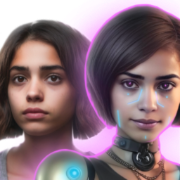
AI photo generator for professional headshots, avatars, and image enhancement.

Hotpot.ai is an AI-powered graphic design tool for creating visuals and text.

AI-powered online image editing app for simple and accessible photo manipulation.