

5.0Paid 15.0k/mo
Transforms photos into masterpieces using AI filters powered by Stable Diffusion.
AI photo editorPhoto filtersStable Diffusion
AI Photo Filter is a subcategory of Image Generation & Editing that uses artificial intelligence to automatically enhance, stylize, or transform existing photographs. Unlike full-f…
12 curated for this page · 78 tools in this niche
By relevance & traffic
Transforms photos into masterpieces using AI filters powered by Stable Diffusion.



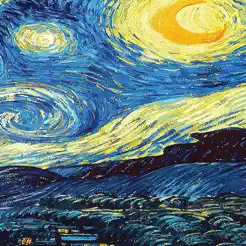
An app that lets you see the world through the eyes of Van Gogh and Picasso.





Protects digital art from AI replication using unique AI textures and filters.
AI Photo Filter — AI Photo Filter is a subcategory of Image Generation & Editing that uses artificial intelligence to automatically enhance, stylize, or transform existing photographs. Unlike full-featured editors that require manual adjustments, these tools prioritize speed and ease of use, applying pre-defined or AI-suggested filters with one click. They are most useful for social media content creators, marketers, and amateur photographers who need consistent, professional-looking results without learning complex software. However, outputs can be inconsistent across different image types, and over-reliance on automatic filters may produce a generic look, so user review remains essential.
Best For: Social media influencers and content creators needing rapid, on-brand photo edits; Small business owners and marketers producing visual content without design expertise; Amateur photographers seeking one-click enhancements for personal projects; Event organizers or teams requiring batch processing of photos with uniform filters Not Ideal For: Professional photographers requiring pixel-level manual retouching and color grading; Graphic designers needing advanced compositing, vector graphics, or custom illustration; Users who need to generate entirely new images from text prompts (use AI image generators instead) Summary: AI Photo Filters are best for users who prioritize speed and ease over manual control, making them ideal for social media, marketing, and personal use. They are less suitable for professionals who need granular editing or original image generation.
The typical workflow begins with uploading an existing photograph. The AI analyzes the image's features—such as color distribution, sharpness, and composition—and then automatically suggests or applies enhancements and filters. Users can preview the result in real-time, adjust settings like filter intensity or crop, and then export the final image in their preferred resolution and format. The key differentiator is the AI's automatic analysis, which reduces manual steps but may require user oversight for best results.
AI Photo Filters save time by providing one-click enhancements that would otherwise require manual editing. They make professional-looking filters accessible to users without technical skills, and batch processing ensures a consistent look across multiple images. However, results can be inconsistent across different image types, and over-reliance on automatic filters may produce a generic or unnatural look, so reviewing outputs is essential.
An AI Photo Filter uses artificial intelligence to automatically analyze and enhance an image, often suggesting or applying adjustments like color correction, artistic styles, or background removal. Unlike regular filters that apply a static effect, AI filters adapt to the image content, potentially producing more tailored results.
Key factors include the consistency of output quality across different images, the level of control you have over adjustments, workflow fit (e.g., batch processing, mobile availability), and the review burden needed to catch errors. Also consider export options and cost scalability for your usage volume.
Many AI Photo Filter tools offer batch processing, allowing you to apply the same filter or enhancement to multiple images at once. This can save significant time for events or large photo sets, but may limit per-image fine-tuning, so review results carefully.
Free tiers are common, often with limited credits or features. For heavier use, subscription plans based on monthly credits or seat-based pricing are typical. Costs vary by tool, so evaluate your expected volume and whether batch processing or high-resolution exports require a paid plan.
AI filters may produce inconsistent results across different image types, lighting conditions, or subjects. Over-reliance can lead to a generic look, and some tools may introduce artifacts or misidentify elements. Additionally, commercial usage rights vary, so verify licensing if using for business or client work.
AI Photo Filters prioritize speed and ease, offering one-click enhancements that require no manual skill. Traditional software provides granular control over every pixel but demands expertise and time. For quick, consistent results, AI filters are ideal; for complex retouching or compositing, traditional editors remain necessary.