
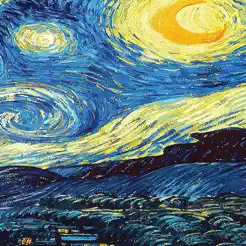
In-depth review: VanGogh Style Camera
VanGogh Style Camera is a focused iPhone and iPad application that delivers real-time artistic style transfer using Stable Diffusion, limited to two iconic painters: Vincent van Gogh and Pablo Picasso. Rather than positioning itself as a full-featured photo editor, the app carves out a narrow but compelling niche: it lets users see their immediate surroundings through the visual language of these masters, with minimal friction. The core experience is straightforward: point your device’s camera—front or rear—at any scene, and the live feed is transformed into a stylized version that mimics the brushstrokes, color palettes, and compositional tendencies of Van Gogh or Picasso. This is not a post-processing filter applied to a captured image; it is a real-time overlay that responds as you move the camera, making it a tool for exploration and serendipity rather than precise control. The use of Stable Diffusion for on-device processing is technically notable, as it enables the live transformation without requiring cloud connectivity, but it also introduces practical trade-offs. Users may notice slight lag or battery drain during extended use, and the stylistic range is deliberately constrained to two options—a decision that prioritizes depth of execution over breadth of choice. The app is free to download and try, which lowers the barrier for curiosity-driven users, but saving any filtered image requires a one-time in-app purchase of $1.99. This paywall is a double-edged sword: it keeps the exploratory experience accessible while monetizing the output, but it may frustrate users who expect saving to be included, especially given the limited feature set. The app’s audience is best understood through specific use cases. Art enthusiasts will appreciate the ability to see everyday scenes—a garden, a city street, a still life—reimagined in the style of Van Gogh’s swirling skies or Picasso’s fragmented forms, and the real-time nature encourages playful experimentation. Photography hobbyists may find the app useful for composing shots with an artistic intent, though the lack of manual controls or adjustment sliders means the filter is applied uniformly, which can feel restrictive for those accustomed to fine-tuning. Social media users seeking quick, shareable content will find the workflow efficient: open the app, frame the shot, and capture a stylized image—but the save paywall may interrupt the flow for casual users. Creative individuals, such as designers or artists, might use the app as an inspiration tool, capturing reference images that suggest new color schemes or compositional approaches, rather than as a final output generator. The limitations are clear: the app is iOS-only, offers only two styles, and requires a purchase for saving. For users who want a broader palette of artistic filters or more editing control, this app will feel too constrained. However, for those who value a focused, real-time experience that faithfully channels two distinct artistic voices, VanGogh Style Camera delivers on its promise with technical competence and a clear sense of purpose.
Who it's built for
Art enthusiasts
Why it fits
The app delivers on its promise of seeing the world through Van Gogh and Picasso's eyes, offering an authentic style transfer that feels like a live painting experience.
Best value
The real-time transformation of everyday scenes into artwork provides instant inspiration and a new way to appreciate surroundings.
Caution
Limited to only two styles, so those seeking a broader palette may feel constrained.
Photography hobbyists
Why it fits
Real-time filters allow for compositional experimentation on the fly, turning ordinary shots into stylized art without post-processing.
Best value
The ability to preview and capture artistic renderings directly through the viewfinder saves time and encourages creative exploration.
Caution
Lack of manual controls and only two styles may limit creative flexibility compared to dedicated editing apps.
Social media users
Why it fits
The app quickly produces unique, eye-catching images that stand out on platforms like Instagram and TikTok.
Best value
Free to use for viewing and capturing screenshots, but saving high-quality images requires a small one-time purchase.
Caution
The paywall for saving images might deter casual users who only want to post occasionally.
Creative individuals
Why it fits
As a tool for inspiration, it offers a novel way to see the world through an artistic lens, sparking new ideas for projects.
Best value
Useful for brainstorming visual concepts or generating reference material for other creative work.
Caution
Not a production tool; output is limited to the two styles and lacks customization for final deliverables.
Key features
Real-time camera filter inspired by Van Gogh and Picasso
Uses Stable Diffusion to apply artistic style transfer live on the camera feed, transforming scenes into Van Gogh or Picasso-inspired artwork.
Benefit
Instant artistic effect without post-processing; responsive and immersive experience.
Limitation
Only two styles are available, which may feel repetitive over time.
Front-facing camera support
Allows users to apply the same real-time filters to selfies and front-facing video.
Benefit
Enables stylized self-portraits and creative video calls.
Limitation
Front camera quality may be lower, affecting detail in the filter output.
Option to save filtered images (via in-app purchase)
Free app allows viewing and screenshotting, but saving full-resolution images requires a $1.99 one-time purchase.
Benefit
Low-cost unlock for permanent saves; no subscription needed.
Limitation
Paywall may frustrate users who expect free saving; screenshots are a workaround but lower quality.
Stable Diffusion integration
Leverages Stable Diffusion for on-device real-time style transfer, balancing quality and performance.
Benefit
Enables complex artistic effects without cloud processing, ensuring privacy and offline use.
Limitation
May cause battery drain or slight lag on older iPhone models.
iOS-only availability
The app is exclusively available on iPhone and iPad, with no Android or desktop version.
Benefit
Optimized for Apple hardware and iOS ecosystem.
Limitation
Excludes a large user base on Android and other platforms.
Real-world use cases
Transforming everyday scenes into artistic renderings
Art enthusiastsScenario
A user points the camera at a landscape, cityscape, or still life and watches it transform into a Van Gogh or Picasso painting in real time.
Solution
The app applies style transfer via Stable Diffusion, updating the viewfinder continuously as the user moves the camera.
Outcome
Provides a fresh, artistic perspective on ordinary surroundings, sparking creativity and appreciation.
Creating unique and stylized photos
Photography hobbyistsScenario
A photography hobbyist wants to produce one-of-a-kind images for a personal project or gift without complex editing.
Solution
They use the app to frame and capture scenes with the artistic filter, then purchase the save feature to export high-resolution images.
Outcome
Quickly yields stylized photos that look hand-painted, suitable for prints or digital sharing.
Experimenting with different artistic styles in real-time
Creative individualsScenario
A creative individual switches between Van Gogh and Picasso filters while moving the camera to see how different subjects are transformed.
Solution
The app allows instant toggling between the two styles, with the filter updating live as the scene changes.
Outcome
Encourages playful exploration and helps users understand how each style interprets various elements like light, texture, and color.
Social media content creation
Social media usersScenario
A social media user wants to capture a stylized selfie or scene for Instagram or TikTok, aiming for a unique visual hook.
Solution
They use the front or rear camera with the desired filter, take a screenshot (free) or save via in-app purchase, then post directly.
Outcome
Produces distinctive content that stands out in feeds, with minimal effort and no editing skills required.
Pros & cons
Pros
- Free to download and use
- Easy to use interface
- Provides a unique artistic filter
- Front-facing camera support
Cons
- Saving images requires an in-app purchase
- Limited to Van Gogh and Picasso styles
Pricing
Parsed from stored tiers (HTML or plain text). If a line is missing, check the notes below — confirm on the vendor site before purchasing.
Save Feature
$1.99
$1.99 One-time purchase to unlock the ability to save filtered images.
Frequently asked questions
Is the app free?Pricing
Yes, the app is free to download and use. You can view the real-time filter and take screenshots without paying. However, saving full-resolution images requires a one-time in-app purchase of $1.99.
Does the app support the front-facing camera?Workflow
Yes, the app supports the front-facing camera, allowing you to apply artistic filters to selfies and video calls.
What artistic styles are available?Fit
The app currently offers two artistic styles: Van Gogh and Picasso. There are no additional styles or customization options.
Can I save images without paying?Pricing
You can save images by taking a screenshot, which is free but may result in lower resolution or include UI elements. To save full-resolution filtered images without overlays, you need to purchase the Save feature for $1.99.
Is the app available on Android?Limitations
No, VanGogh Style Camera is currently only available on iPhone and iPad. There is no Android or desktop version.
How does the real-time filter work technically?General
The app uses Stable Diffusion, a machine learning model, to perform real-time style transfer on the camera feed. The processing happens on-device, so no internet connection is required, but it may impact battery life and performance on older devices.
Related tools in AI Photo Filter

AI creative toolkit for e-commerce and marketing, offering image generation and editing tools.


Create Halloween videos, photos, music, and filters with AI! Media.io Halloween AI Generator lets you transform media with face swaps, spooky effects, and themed visuals — powered by top models like Sora, Veo, Kling, Seedream, and Runway etc.

Filterly transforms your look with hairstyles, age changes, and retro vibes.


Free AI photo editor with filters, image generation, video enhancement, and more.