
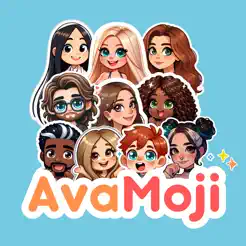
In-depth review: AvaMoji
AvaMoji sits at the intersection of nostalgia and novelty: it takes the familiar concept of BitMoji avatars and injects AI-driven personalization to create stickers that actually look like you. For users who have grown tired of BitMoji’s prebuilt outfits and limited expressions, AvaMoji offers a compelling alternative—one where your digital twin can be inserted into custom scenes, not just static poses. But the tool’s real value hinges on how deeply you integrate custom stickers into your daily messaging and social media habits.
Where AvaMoji stands out is in its core promise: AI-generated avatars that capture your likeness. Unlike traditional avatar builders that rely on manual selection of features, AvaMoji uses AI to generate a base avatar from your photos, then lets you refine it. The result is a sticker character that feels uniquely yours, not a generic cartoon. The scene generation feature further extends this—you can place your avatar into various contexts, from coffee shops to fantasy landscapes, which adds a layer of creativity that BitMoji’s scene shop lacks. This makes AvaMoji particularly appealing for Gen Z and Millennials who value self-expression and want their digital presence to feel authentic.
However, the workflow is not without friction. AvaMoji operates on a credit-based pricing model: $1.99 for 10 stickers, $6.99 for 50, and $15.99 for 200. This means each sticker or scene you generate consumes credits, which can add up quickly if you’re a heavy user. For casual users who only need a handful of stickers, the cost is manageable, but power users—especially social media influencers or content creators who might want to refresh their sticker library frequently—may find the system restrictive. There’s no subscription option for unlimited generation, so the value proposition is best for moderate, intentional use rather than high-volume output.
The ideal user for AvaMoji is someone who already uses stickers frequently in chats (WhatsApp, iMessage, Telegram) or posts on platforms like Instagram and TikTok. For these users, having a set of stickers that look like them can boost engagement and make their content stand out. The app’s interface is straightforward, with a simple flow from photo upload to avatar creation to sticker generation. There’s minimal learning curve, which lowers the barrier for less tech-savvy users. But the trade-off is that advanced customization options are limited—you can tweak hairstyles, outfits, and accessories, but the AI’s interpretation of your likeness may not always be perfect, especially with diverse skin tones or facial features. Users should expect to spend some time refining the initial avatar to get a satisfying result.
A practical buyer should think of AvaMoji as a specialized tool for personal branding and fun, not a comprehensive avatar platform. It’s not designed for teams or businesses; there are no collaboration features or API integrations. The app is purely consumer-focused, and its success depends on how much you value having a custom sticker library. If you’re the type of person who sends a sticker instead of typing a reaction, AvaMoji can be a delightful upgrade. But if you rarely use stickers, the credit costs might feel wasted. In the broader landscape of AI avatar generators, AvaMoji occupies a specific niche: it’s more personal than BitMoji but less versatile than full 3D avatar platforms. It’s a tool for those who want their digital identity to be both recognizable and expressive, without the overhead of complex editing software.
Who it's built for
Social media enthusiasts
Why it fits
AvaMoji lets you create stickers that look like you, making your posts stand out with a personal touch that generic emojis can't match.
Best value
The ability to generate custom scenes with your likeness for Instagram stories or TikTok videos, boosting engagement.
Caution
Credit-based pricing may feel expensive if you post frequently; each sticker costs around $0.14-$0.20.
Gen Z
Why it fits
The app's focus on self-expression and digital identity aligns perfectly with Gen Z's desire for unique, shareable content.
Best value
Endless customization options to create avatars that truly represent your style, from outfits to expressions.
Caution
The app is mobile-only and may lack advanced editing features that some users expect.
Millennials
Why it fits
Offers a nostalgic twist on BitMoji with modern AI, appealing to millennials who grew up with avatar apps.
Best value
Quickly generate stickers for casual chats, adding personality without needing design skills.
Caution
If you're used to BitMoji's free basic features, the credit system might feel limiting.
Casual messaging users
Why it fits
A library of stickers that look like you makes everyday chats more fun and personal on platforms like WhatsApp and iMessage.
Best value
Low time investment: create your avatar once and generate stickers in minutes.
Caution
Stickers are limited to your created scenes; you can't import custom backgrounds or props.
Key features
AI-Powered Avatar Creation
The AI captures your likeness from a selfie and generates an avatar that resembles you, with options to adjust features.
Benefit
Creates a personalized avatar quickly without manual design work, ensuring a recognizable digital twin.
Limitation
Accuracy depends on photo quality and lighting; results may vary for diverse skin tones or facial features.
Custom Sticker Generation
Turn your avatar into a variety of stickers with different poses, expressions, and outfits, all generated by AI.
Benefit
Provides a diverse sticker set that reflects your personality, usable across messaging apps.
Limitation
Sticker variety is limited to what the AI offers; you cannot manually edit poses or expressions.
Personalized Scenes
Create custom scenes by placing your avatar in AI-generated backgrounds, such as beaches, cities, or fantasy settings.
Benefit
Enables unique, context-specific stickers for events or moods, making conversations more engaging.
Limitation
Scenes are templated and may feel repetitive after extended use; limited control over scene composition.
User Interface and Experience
Intuitive design with clear steps: take a photo, customize avatar, generate stickers. Minimal learning curve.
Benefit
Allows anyone to create stickers in minutes, even without design experience.
Limitation
Advanced customization options are limited; power users may find the interface too simplistic.
Credit-Based Pricing Model
Purchase sticker credits in packs: 10 for $1.99, 50 for $6.99, 200 for $15.99. Each sticker costs one credit.
Benefit
Pay only for what you use, suitable for light to moderate users who don't need unlimited stickers.
Limitation
Heavy users may find costs add up quickly; no subscription or unlimited plan available.
Real-world use cases
Personal Branding on Social Media
Social media enthusiastsScenario
An influencer wants to maintain a consistent visual identity across Instagram and TikTok posts without hiring a designer.
Solution
They create an AvaMoji avatar and generate stickers with their likeness, using them in stories, comments, and video overlays.
Outcome
Saves time and money while adding a unique, personal touch that followers recognize.
Enhancing Group Chats
Casual messaging usersScenario
A group of friends frequently chats on WhatsApp and wants to add humor and personality with custom stickers.
Solution
Each friend creates their own AvaMoji and shares stickers that react to inside jokes or events.
Outcome
Makes conversations more fun and strengthens group identity with personalized visuals.
Digital Gifts and Greetings
MillennialsScenario
Someone wants to send a birthday greeting that feels personal but is low-cost and easy to create.
Solution
They use AvaMoji to create a custom sticker of themselves in a birthday scene and send it via messaging app.
Outcome
A thoughtful, personalized gift that costs only one credit ($0.14-$0.20) and takes minutes to make.
Avatar Exploration for Fun
Gen ZScenario
A user enjoys experimenting with different looks and scenes without a specific practical goal.
Solution
They use AvaMoji to generate multiple avatars with varying styles and place them in fantasy scenes.
Outcome
Provides entertainment and creative outlet, similar to playing with a digital dress-up game.
Pros & cons
Pros
- Unique, personalized avatars and stickers
- User-friendly interface
- Endless customization options
- AI-powered avatar creation
Cons
- In-app purchases for sticker credits
- Requires iOS 16.0 or later
Pricing
Parsed from stored tiers (HTML or plain text). If a line is missing, check the notes below — confirm on the vendor site before purchasing.
50 Stickers credits
$6.99/ credit
$6.99
200 Stickers credits
$15.99/ credit
$15.99
10 Stickers credits
$1.99/ credit
$1.99
Frequently asked questions
What is AvaMoji and how does it work?General
AvaMoji is a mobile app that uses AI to create personalized avatars from your selfie, then generates custom stickers featuring that avatar in various poses and scenes. You can use these stickers in messaging apps and social media.
How does AvaMoji compare to BitMoji?Comparison
Unlike BitMoji, which offers prebuilt outfits and scenes, AvaMoji uses AI to create stickers that look like you, offering more personalization. However, BitMoji is free with in-app purchases, while AvaMoji uses a credit system (e.g., $6.99 for 50 stickers). AvaMoji is better for unique, one-of-a-kind stickers, while BitMoji offers a larger library of pre-made content.
Is AvaMoji easy to use for beginners?Fit
Yes, AvaMoji is designed with an intuitive interface. You simply take a selfie, customize your avatar, and generate stickers. Most users can create their first sticker within minutes without any design experience.
How much does AvaMoji cost?Pricing
AvaMoji uses a credit-based pricing model: 10 stickers for $1.99, 50 for $6.99, and 200 for $15.99. Each sticker costs one credit. There is no subscription or free tier beyond the initial setup.
Can I use AvaMoji stickers in any messaging app?Workflow
Yes, you can save stickers to your device's photo library and then use them in any app that supports image sharing, such as WhatsApp, iMessage, Instagram, and TikTok. However, direct integration (like a keyboard) is not mentioned.
Are there any limitations to the AI avatar creation?Limitations
The AI avatar accuracy depends on photo quality and lighting. It may struggle with certain facial features or skin tones. Additionally, you cannot manually edit the avatar beyond the options provided, which limits customization for users who want precise control.
Related tools in AI Avatar Generator

Free AI chatbot platform for creating and chatting with customized AI characters.


Model-sharing hub for AI art generation, specializing in Stable Diffusion.

AI-powered creative platform for photo and video editing and graphic design.


Midjourney is an AI research lab focused on expanding human imaginative powers.